Getting Started with Neo4j
Getting started with Neo4j is easy.
First download a copy of the Neo4j desktop version from the Neo4j download page. The Community Edition of the software is free but a sign up is required. Once the file has downloaded, you can install Neo4j by following the instructions automatically opened in the browser.

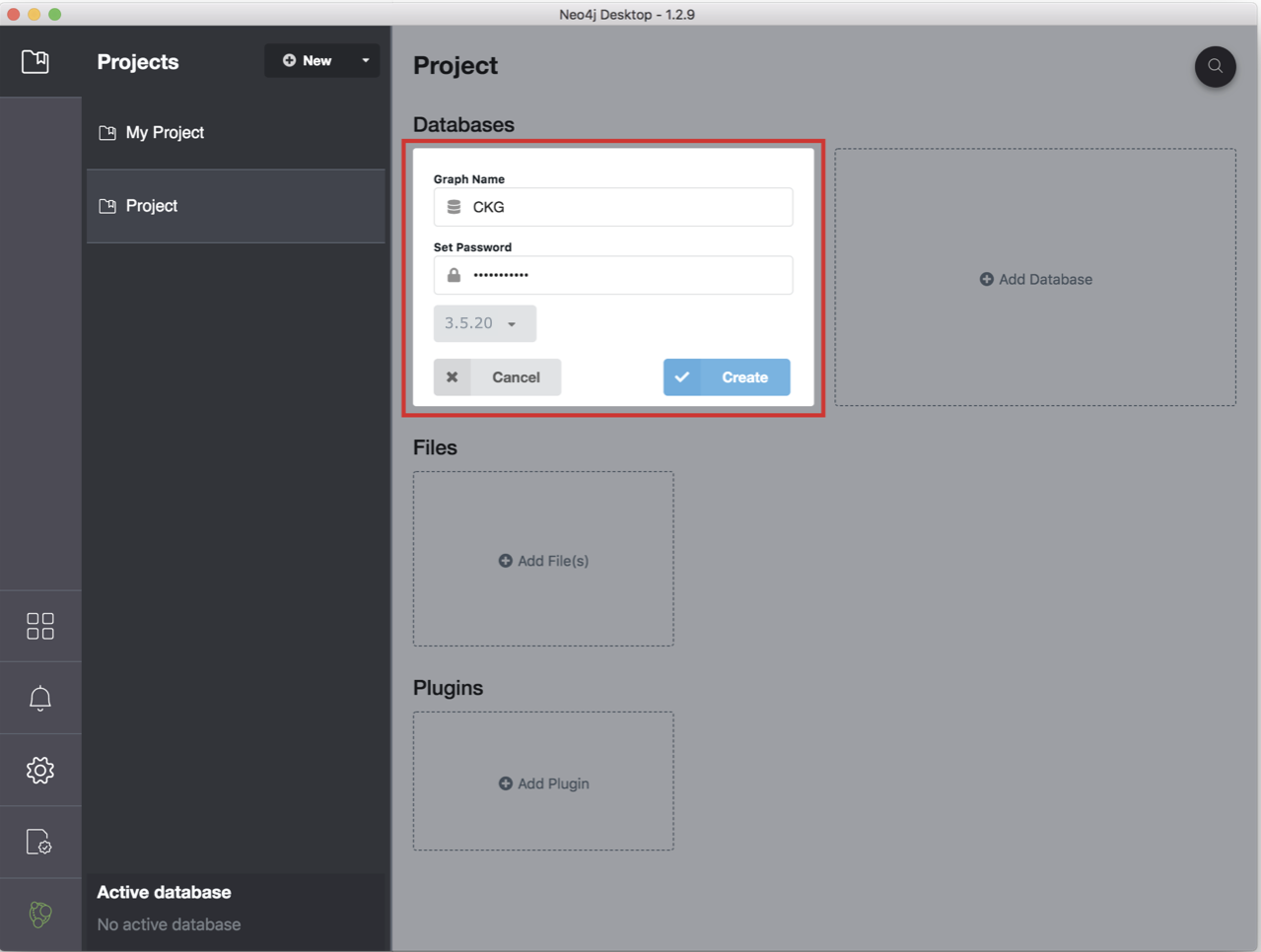
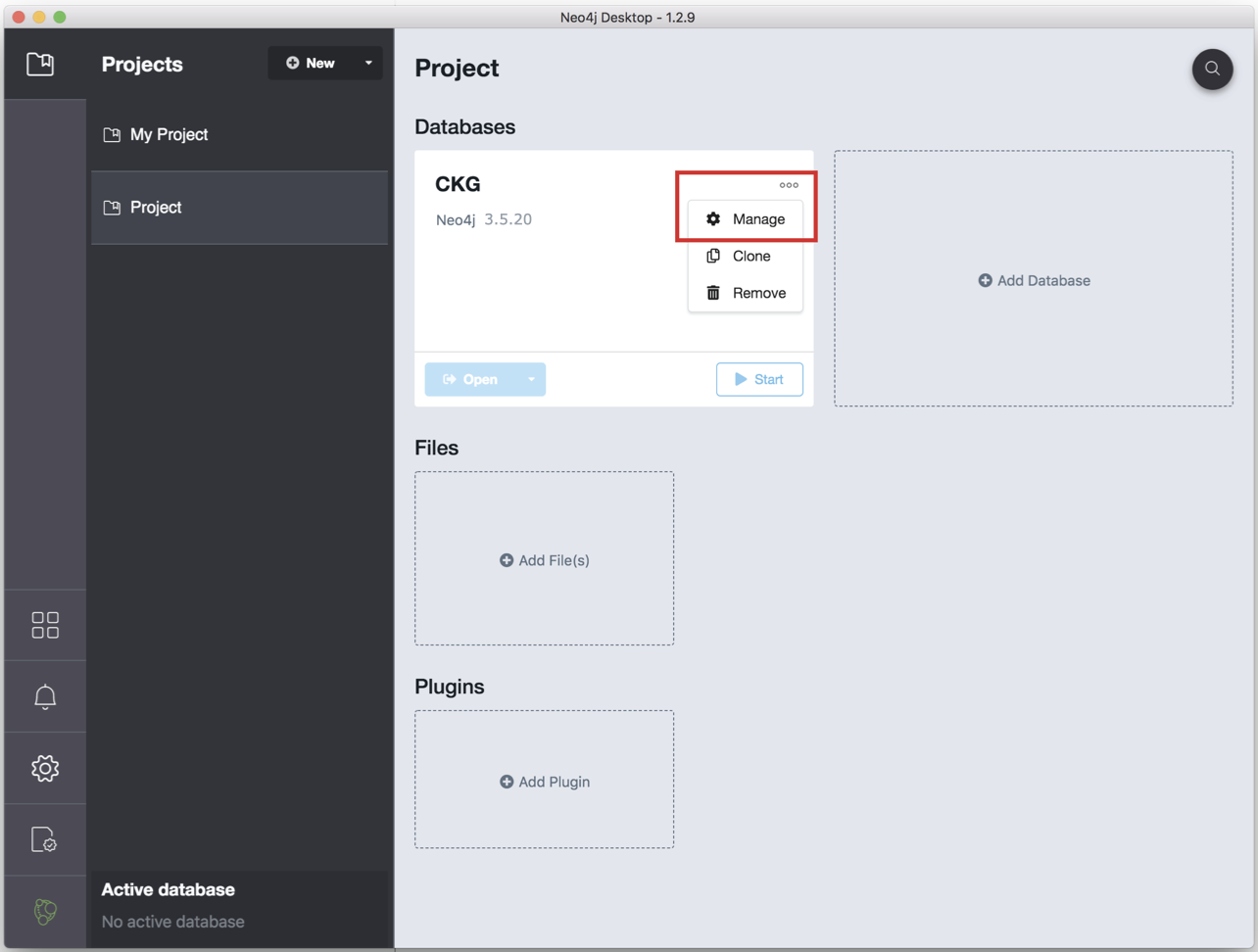
Open the Neo4j Desktop App and create a database by clicking Add graph, followed by Create a Local Graph, choose database version 3.5.20 using the password “NeO4J”. Now that your database is created:
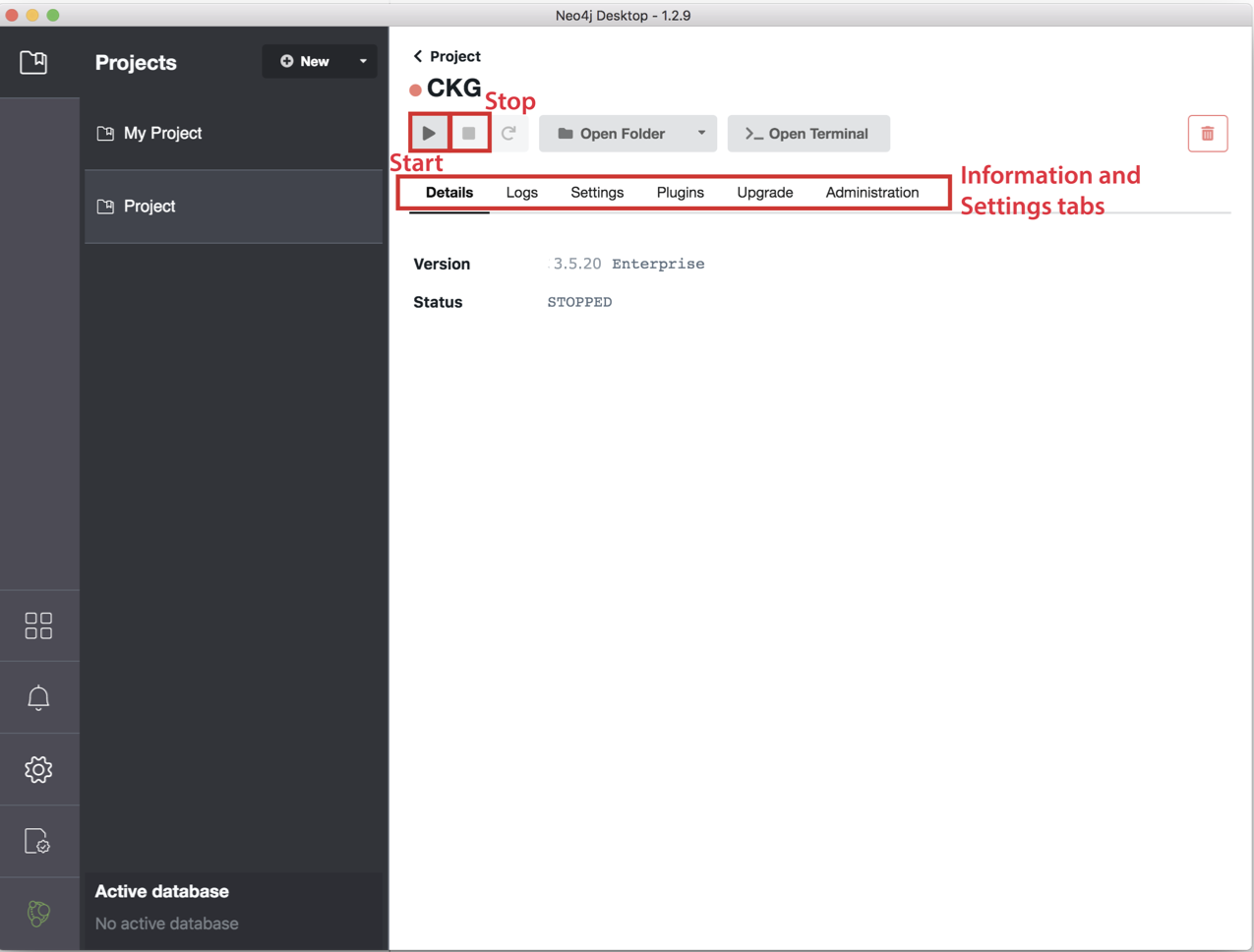
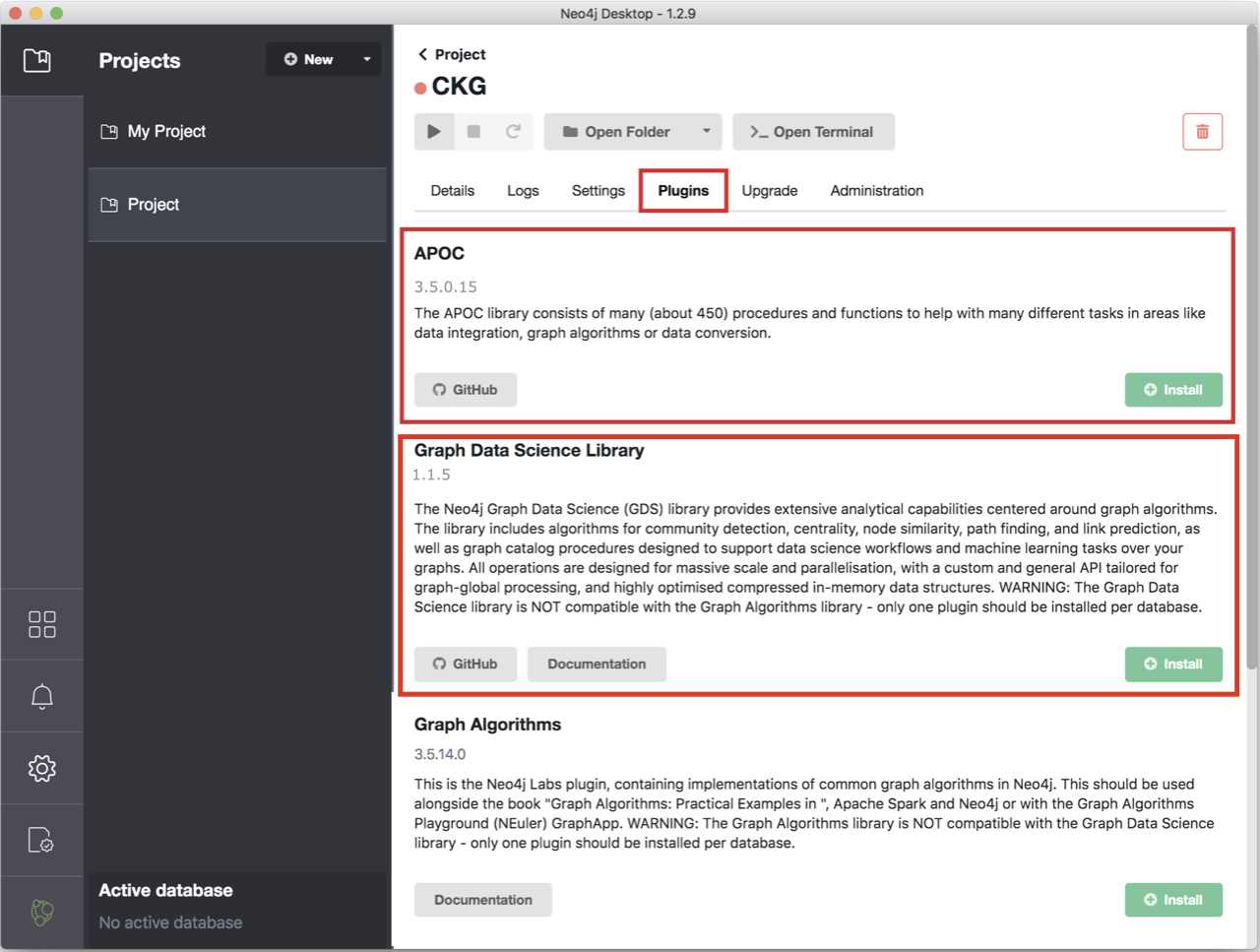
Click Manage and then Plugins. Install “APOC” and “Graph Data Science Library”.

Click the tab Settings, and comment the option
dbms.directories.import=importby adding#at the beginning of the line.Click Apply at the bottom of the window.
Start the Graph by clicking the play sign, at the top of the window.
If the database starts and no errors are reported in the tab Logs, you are ready go to!